EN
EN Čeština
 Deutsch
 Français
 Italiano
 Español
 Nederlands
 Polski
 Ελληνικά
 Hrvatski
 Slovenčina
 Português
 Türkçe
 Svenska
 Magyar
 Română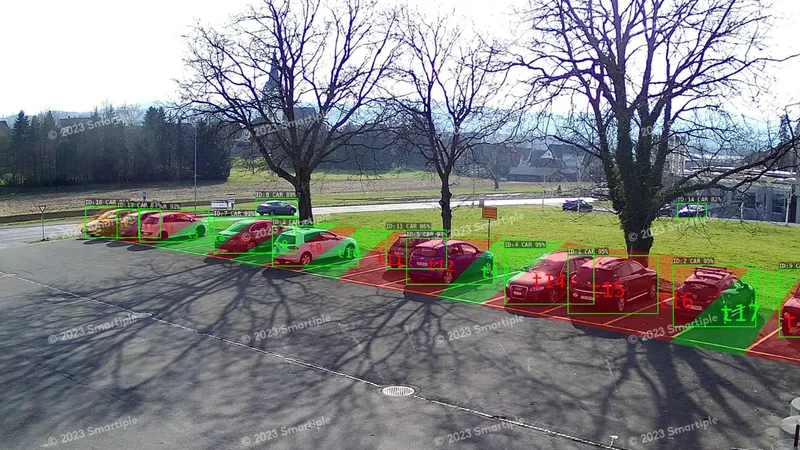
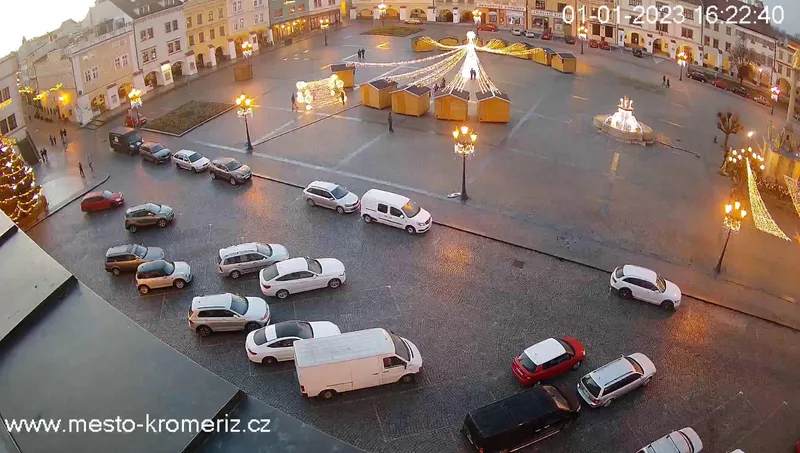
The camera sends an image
Every 30 seconds by default, over common camera streams. No extra hardware is installed on site.
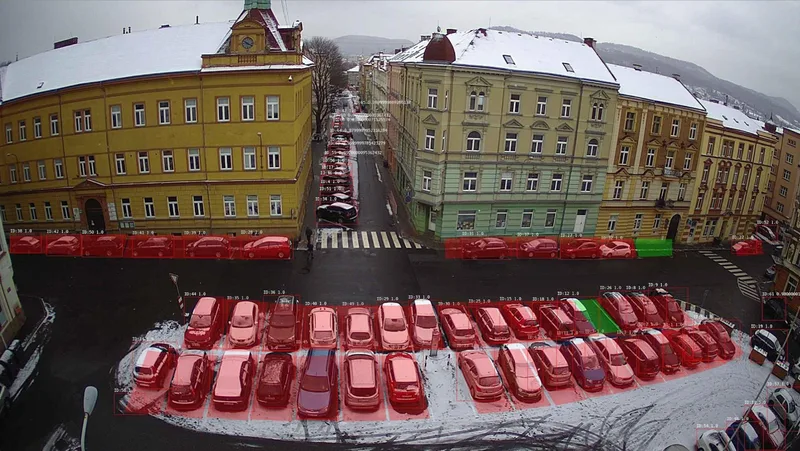
Parkinto Detection reports each marked parking space as free or occupied from an existing static IP camera, every 30 seconds, for $69 per camera per month. AI finds the vehicles in each image with 99.7% accuracy in everyday operation.
14-day free trial · no credit card required
Every 30 seconds by default, over common camera streams. No extra hardware is installed on site.
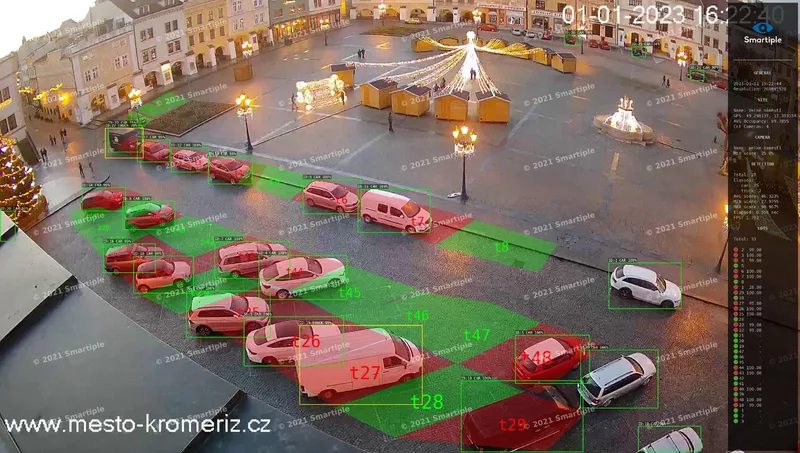
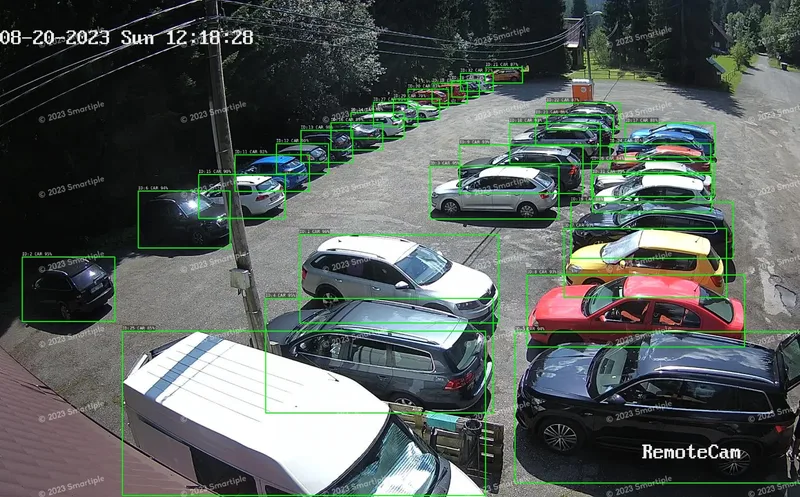
Cars, vans, trucks, buses, motorcycles and bikes. Each gets a type and a confidence score.
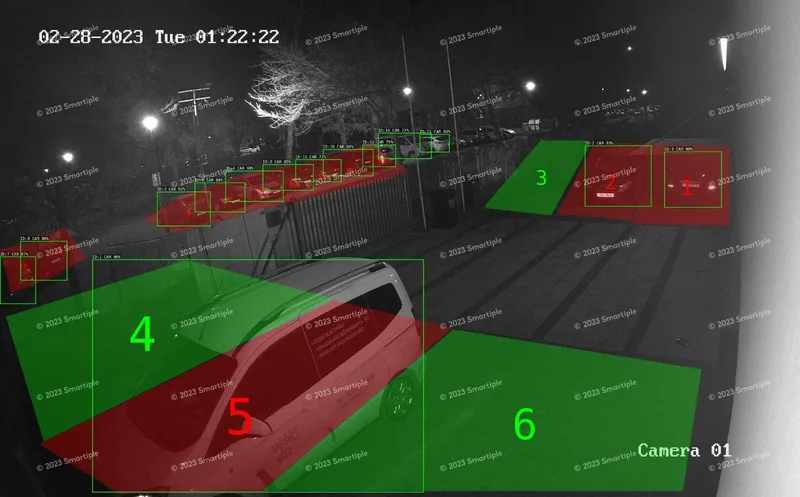
You draw each space once as a polygon on the camera image. A space is occupied when a vehicle’s centre lies inside it. Painted lines are not needed.
Dashboard, public map, LED signs and your API.
See all outputs ↓Step by step through a real installation: how installation works
The whole topic in one guide: parking space occupancy detection explained
Every object gets a type and a confidence score, so the data tells you not only that a space is taken, but by what.
Car, van, truck, bus, motorcycle and bike. The type is reported through the API, so you can count free truck bays separately or spot a car standing on a truck space.
Included in the licence and read by an ordinary camera. Reading needs a distance of 4–8 m, so one camera covers 3–5 spaces. Each plate is available through the API, and a webhook tells your system when the car arrives or leaves — Parkinto does not store the plate.
Give each marked space a type — regular, disabled, electric vehicle or private. Occupancy of the car park is reported for regular spaces, and the Statistics add-on breaks usage down by type.
One camera reads plates on 3–5 marked spaces.
The plate is matched to the space it stands on.
Webhook: PARK 1NT0 arrived at A12 · later: A12 freed
Match plates to permits, guests or employees in your own system — e.g. hotel or company car parks.
Parkinto does not store plates — they are only passed on through the API. Occupancy detection works on every camera; licence plates only on cameras placed 4–8 m from the spaces.
For time limits alone you don’t need licence plates — stay length works on every camera. Stay length ↓
Detecting boats in a marina? See Parkinto Marina
Parkinto shows how long each space has been occupied. Set a maximum stay for the car park — e.g. 2 hours at a shopping centre — and spaces over the limit are highlighted in the portal. Works with every camera, without reading licence plates or storing personal data. The REST API also returns when each space became occupied.
99.7% is Parkinto’s own continuous measurement on live installations: the share of reported space states that match a person checking the same camera images. An independent audit by the Czech Technical University in Prague (Faculty of Transportation Sciences) measured an earlier version at 99.4%. If a person can clearly see from the camera image whether a space is taken, Parkinto usually can too. Accuracy keeps improving over the first weeks on a particular car park, as the model settles into that view. See where parking space detection fails and how to test it before you buy any system.
Car parks are not studio scenes. These are the conditions customers ask about most.
Any static IP or CCTV camera that provides a snapshot URL or a supported stream, new or already installed. Moving PTZ cameras are not suitable, because the marked spaces would no longer match the view. Why cameras rather than ground sensors: parking occupancy detection, camera vs sensor.
HD 1280 × 720 is enough; Full HD 1920 × 1080 for spaces far from the camera. Even 640 × 480 will run — with fewer spaces per camera.
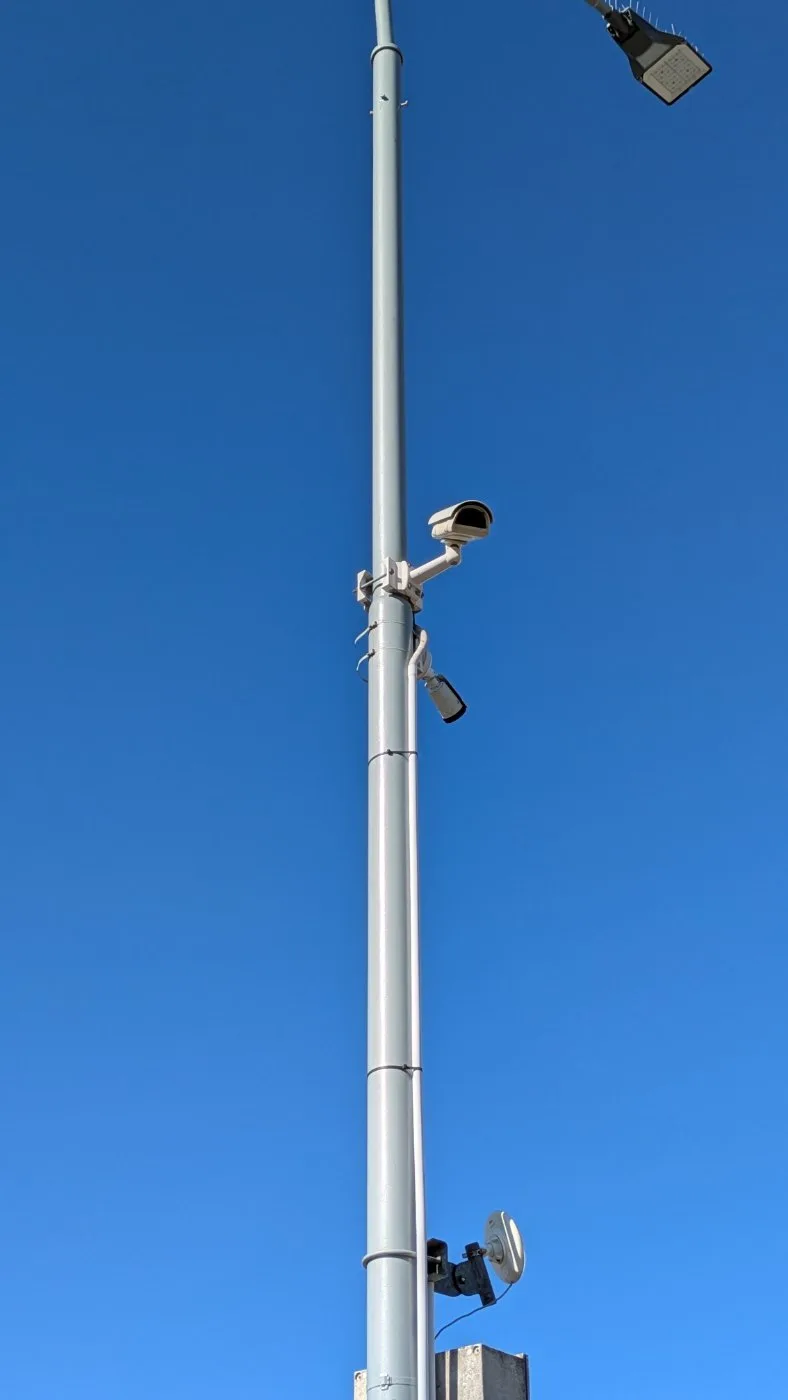
As high as possible — a street light pole at 5–6 m is ideal. The higher the mount, the fewer vehicles hide behind each other.
Tested with Hikvision, Axis, Uniview, Reolink and TP-Link. A proven budget choice is the Hikvision DS-2CD2045FWD-I.
Real coverage depends on the mounting height and the angle onto the spaces. Send us the camera view and we will tell you what it covers.
Not sure your camera fits? Send us the view.
Send a snapshot from the camera — we reply with how many spaces it can cover.
Detection runs in the cloud, so nothing has to be installed at the car park beyond the camera itself.
The camera or recorder must be reachable from the cloud — a public IP with a forwarded port, or a VPN. Cameras that push snapshots need no inbound access.
Ethernet, Wi-Fi or mobile data (LTE/4G/5G). Roughly 1–3 Mbit/s per camera.
Redundant servers in Belgium and the Czech Republic. No server on your site. On-premise or a dedicated regional instance for large deployments.
Cloud detection works with any inexpensive camera, the models improve centrally for every customer, and adding a camera is configuration rather than a device purchase.
Comparing with in-ground sensors? See the technologies side by side
Each image is processed to determine occupancy. Images and video are not archived — only the latest frame is kept so you can see the camera view in your portal. Licence plates are not stored — they are only passed on through the API.
GDPR compliance (PDF)Occupancy is only useful where people see it — in your dashboard, on a sign at the entrance or inside your own system.
Query the current state of any site or space with an HTTP GET; the answer is JSON.
A notification whenever the car park changes — a car arrives, a car leaves, space A12 is freed — sent as an HTTP POST to your endpoint.
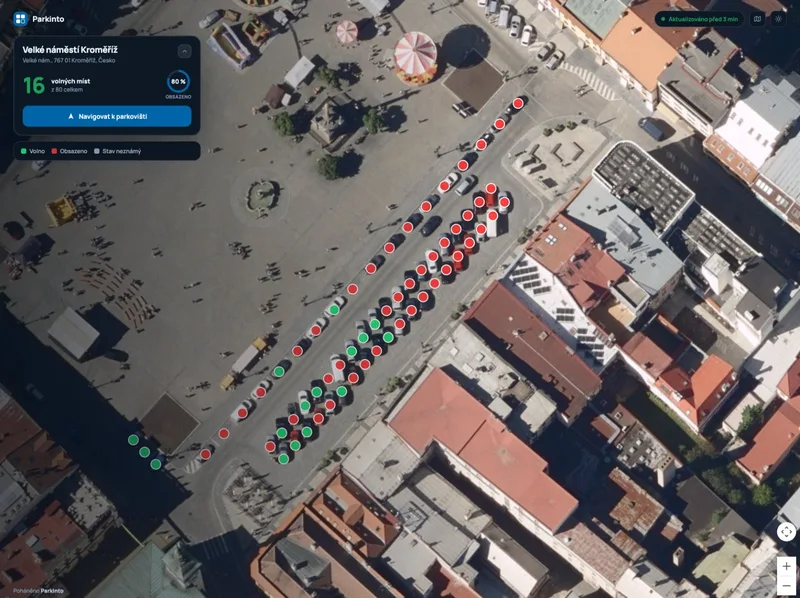
A web page showing free spaces, embeddable in your own site as an iframe.
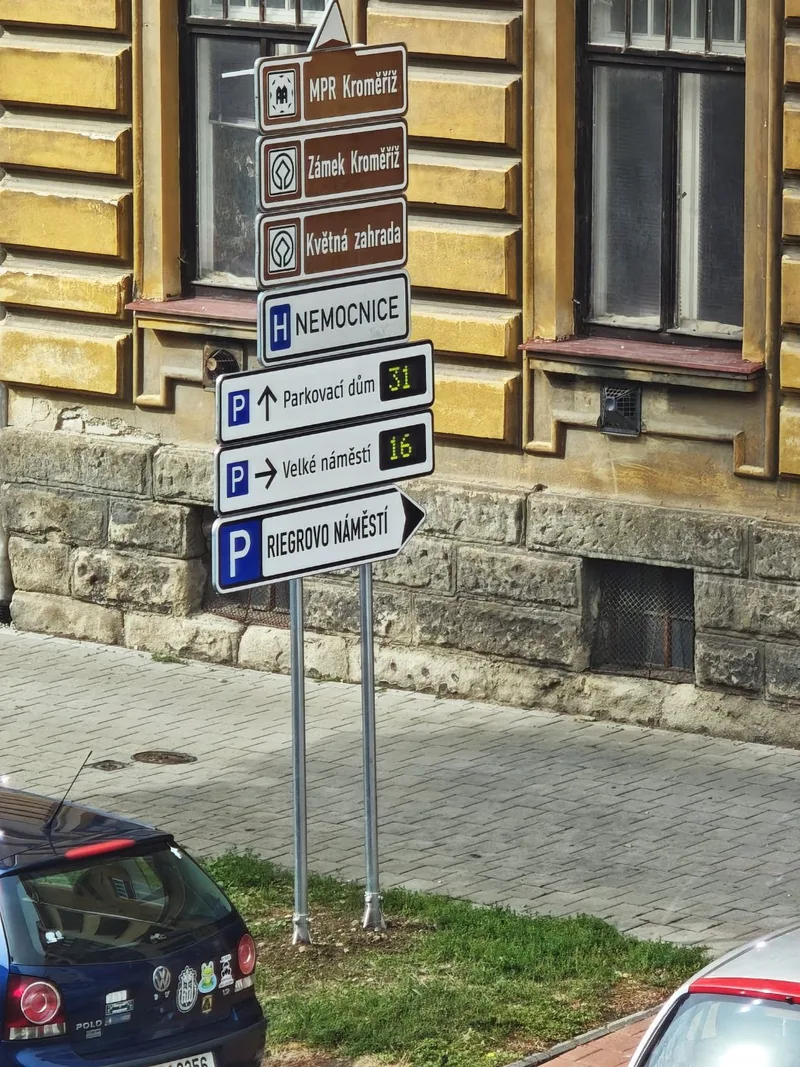
Any sign can read free-space counts from the API; there is a ready integration with Tetronik.
Endpoints, payloads and webhook events: API documentation
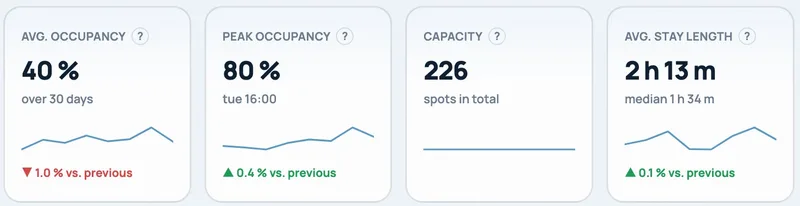
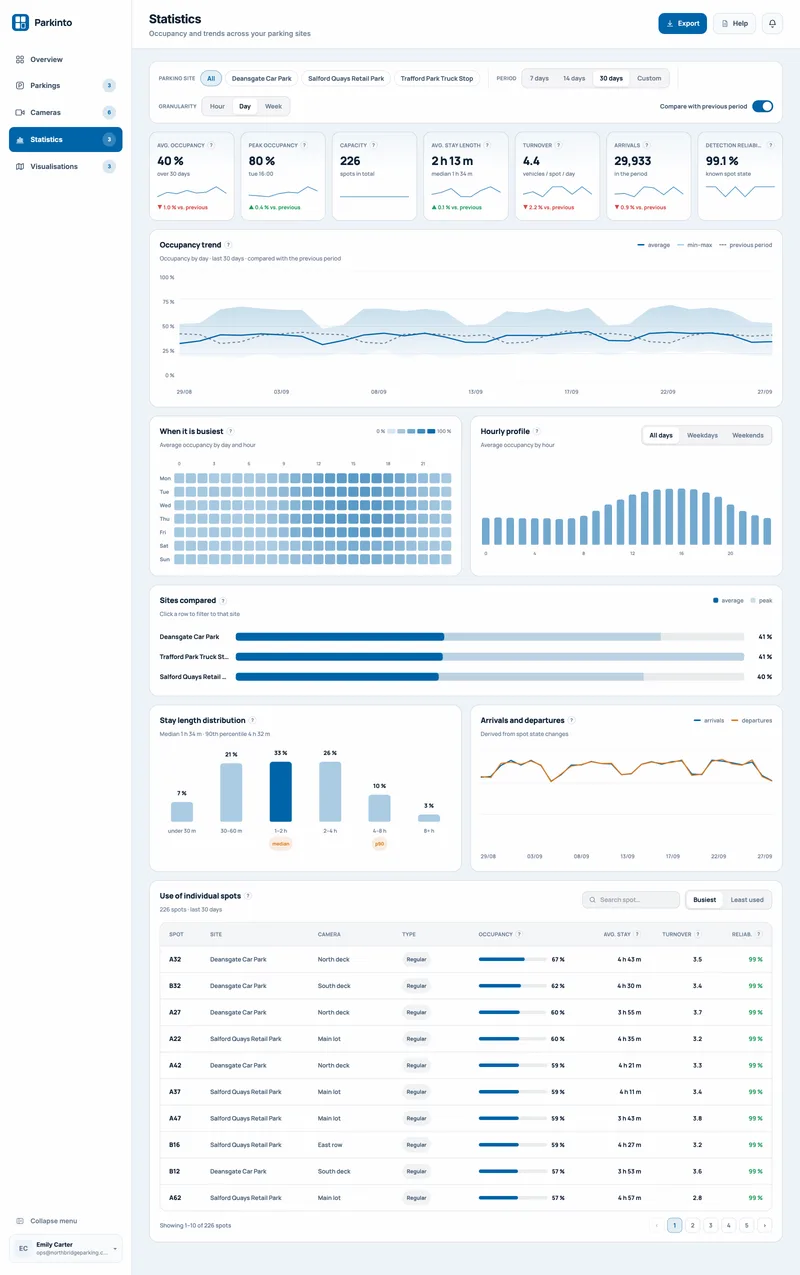
Average and peak occupancy, stay length, turnover and arrivals — per site and per space, compared with the previous period and exportable to CSV, Excel or PDF, with a summary at the end of each month.
Daily or hourly occupancy over any period, with the minimum–maximum band and the previous period for comparison.
A heat map of average occupancy by weekday and hour.
Average occupancy through the day, for all days, weekdays or weekends.
Average and peak occupancy side by side for every site you run.
How long vehicles stay — distribution, median and 90th percentile.
Derived from spot state changes, day by day.
Something not covered here? info@parkinto.ai
99.7% in everyday operation — Parkinto’s own continuous measurement on live installations (cars and boats): the share of reported space states that match a person checking the same camera images. An independent audit by the Czech Technical University in Prague (Faculty of Transportation Sciences) measured an earlier version at 99.4%. Rule of thumb: if a person can see from the camera image whether a space is taken, Parkinto can too. Accuracy improves over the first weeks on a given car park.
Yes. At night the camera’s own infrared illumination is used. Rain, snow and fog are fine as long as the vehicles stay visible in the image; the camera needs a weatherproof (IP66) housing.
Outdoors typically 25–35 spaces, up to about 100 with a high mounting point and a good angle. Indoors in a garage 5–25. With licence plate reading, 3–5.
The main rule: if you can recognize the occupancy with your own eyes from that position, Parkinto can do it as well. Mount the camera as high as the site allows — a street light pole at 5–6 m is ideal. The camera must be static; PTZ cameras that move are not suitable.
HTTP(S), FTP, RTSP, RTSP.me, MJPEG and YouTube live. The camera or recorder must be reachable from the cloud, or it can push snapshots out, in which case no inbound access is needed.
Because it lets you use any inexpensive camera, the models improve centrally for everyone, and adding a camera is a configuration change rather than a hardware purchase.
Per space. Each space is drawn once as a polygon and reported individually, so you know which spaces are free — not only how many. Zones that only count vehicles are possible on gravel and unmarked lots.
Yes. The portal shows how long each space has been occupied and highlights spaces over the maximum stay you set for the car park. No licence plate reading is needed.
No. The car park’s occupancy is reported for regular spaces; disabled, EV and private spaces are shown separately and the Statistics add-on breaks usage down by type.
Each image is processed to determine occupancy. Images and video are not archived — only the latest frame is kept for your portal view. Licence plates are not stored — they are only passed on through the API. All processing takes place in the EU.
14-day free trial, no credit card required. Connect one camera and mark the spaces — the first detection can arrive the same day.
Cookies on parkinto.ai
We use analytics cookies to see which pages are useful and advertising cookies to measure our ads. If you reject them, we only keep a necessary cookie that remembers your choice, and Google receives basic signals without cookies or identifiers.
Privacy policyCookie settings
Choose which optional cookies we may store. You can change this any time from the footer. Privacy policy